Household and roles
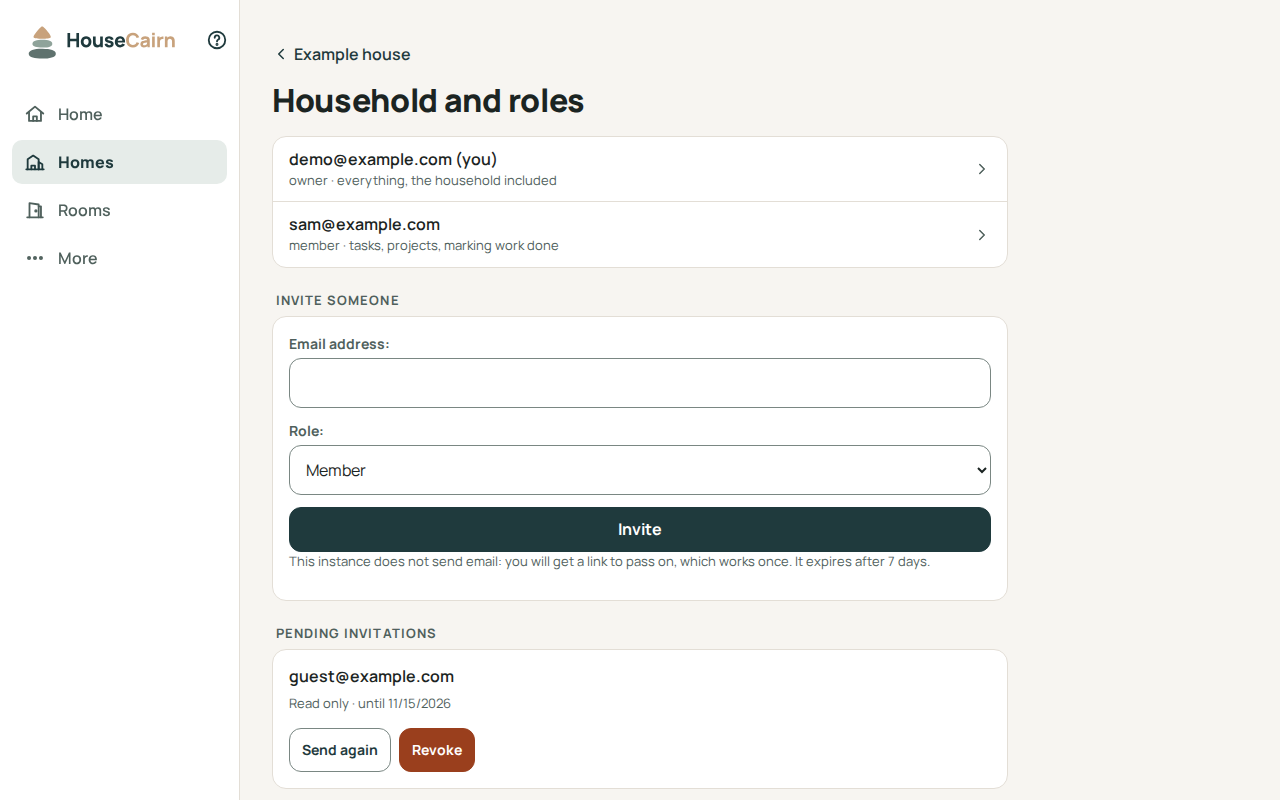
The people of a home and what each may do, at /h/<home id>/household/. Open
it from the page of the home. Every member sees the list; only owners invite
people, change roles and set the sign-in rule.
Roles
Role |
What it allows |
|---|---|
Owner |
Everything, the household included: invite, change roles, remove members. |
Member |
Tasks, projects, marking work done. |
Read only |
Sees the home and changes nothing: for a tenant or a craftsperson. |
A home always keeps at least one owner: the last owner can neither change their own role nor leave. Make someone else owner first.
Invite someone
Enter the person’s email address and the role they get, then Invite.
When the instance sends email, the invitation goes to that address, with a link that works once. The link is not shown to you. If the mail server does not answer, the invitation is kept and the page says the email could not be sent: use Send again later.
When it does not, the page shows the link once: pass it on yourself, by a channel you trust. That link cannot create an account (see below).
The link expires after seven days by default. Under Pending invitations, Send again makes a new link and a new expiry (the previous link stops working) and Revoke cancels the invitation. An invitation does not say whether the address already has an account on the instance.
The invited person opens the link, then joins with their account, or creates one if they have none: an invitation is the way in when the instance does not let anyone sign up. Only an account with the invited address can accept it. A link that went by email creates the account and verifies the address. A link you handed over yourself, because the instance sends no email, creates nothing: the person signs in with the invited address, or an administrator creates the account first. One invitation at a time per address.
Audit log
Audit log, under the invitations, lists who changed roles, invited, exported or set the sign-in rule in this home. See Audit log of a home.
Sign-in rule
When the instance offers single sign-on, an owner can require that members open this home only after signing in through one of its providers, such as Company SSO. A password, a passkey or an API token alone then no longer opens the home. Set the rule from a session signed in through that provider; the homes list marks the homes it locks. If the instance stops offering that provider, the page that asks for it offers owners Remove the sign-in requirement.